

You spent hours writing, editing, and polishing your new blog post. You hit publish and sent it out into the world, but your job isn’t done yet; now you need a simple way to repurpose blog content for social media so it gets it noticed.
But how do you get more eyes on your work without burning out?
If you are a senior jumping into content creation, trying to manage Instagram, Facebook, Pinterest, and Threads all at once can quickly make you want to throw your laptop out the window. It feels like an exhausting treadmill.
That is why you need a strategy that saves your sanity.
A great article should never be treated as a one-and-done project. Repurposing your blog post allows you to share parts of it with other audiences.
Can you break that single story into smaller, bite-sized pieces for Instagram?
Can you create a couple of images from the main points for Pinterest?
Can you take those main points and create a short video or reel for Instagram?
One good blog post can fuel an entire week of social media. The goal is not to copy your post everywhere; the goal is to reshape the best parts for each app so you can save your time and energy.
What Does It Mean to Repurpose Blog Content?
To repurpose blog content simply means taking one finished post and turning parts of it into smaller bite size pieces of content to be consumed on other platforms.
This way you are not starting from scratch every single day. You are taking the strongest ideas you already created and giving them a fresh, simple format.
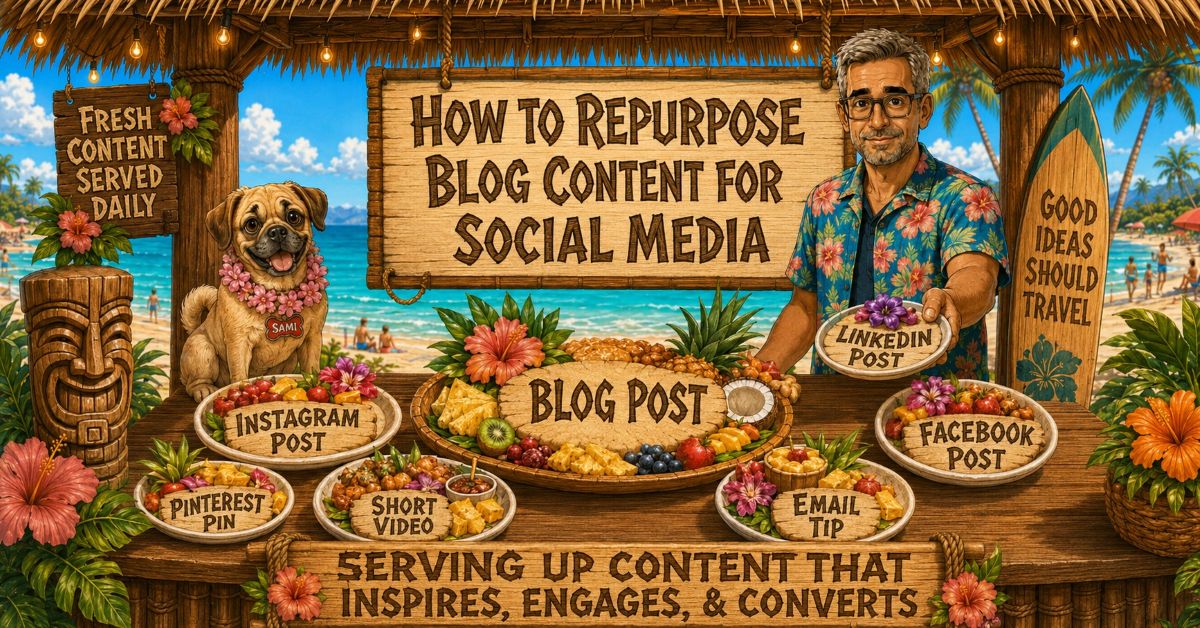
For example, a single blog post can easily be broken down like this:
| Blog Post Section | Repurposed Content Piece |
| Main Idea | Instagram post |
| Step-by-Step List | Pinterest pin |
| Helpful Quote | Threads post |
| Common Mistake | Short video or reel |
| Final Advice | Email tip |
| Key Takeaway | Facebook post |
This is the minimalist version. As a silver creator, you are not creating more work just to stress yourself out. You are making one strong piece of content work harder for you.
Start With the Main Problem Your Post Solves
Before you create a single social media snippet, identify the main problem your blog post answers.
This keeps your repurposed content from feeling random or confusing to your readers. Instead of pulling out disconnected sentences, you are looking for the exact idea that matters most to your audience.
For example, if your post is about creating a content calendar, the main problem might be: “I do not know what to write next.”
That single problem can turn into several distinct social media angles:
| Angle | Social Content Idea |
| The Pain Point | “Staring at a blank screen again?” |
| The Actionable Tip | “Plan your next four posts before you write the first one.” |
| The Common Mistake | “Do not build a content calendar around random ideas.” |
| The Encouragement | “You do not need 100 ideas. You need the next useful one.” |
When you know exactly what your peers are struggling with, it becomes much easier to create clear blog post ideas, captions, pins, emails, and short videos.
Pull Out the Best Pieces From Your Post
The easiest way to repurpose blog content is to scan your finished article for reusable pieces that can stand completely on their own.
Look for the specific points, examples, steps, and takeaways that already carry the most value:
| Content Piece | What to Turn It Into |
| Main Point | Social caption |
| Numbered Steps | Carousel post |
| Strong Sentence | Quote graphic |
| Common Mistake | Short video or reel |
| Example | Pinterest pin |
| Final Takeaway | Email or Threads post |
Turn One Blog Post Into Multiple Social Media Posts
This is where your unique style comes into play. There are two parts to think about when you repurpose blog content for social media: the visual part and the textual part.
The Visual Part
This is where I use AI as my creative partner to bring my brand to life. I give AI my directions in a prompt and let it create the exact illustration I am looking for. I specifically use these custom images of me and The Puggle, Dan & Sami, for my Pinterest pins and Instagram posts. The image doesn’t replace the blog post—it just helps the idea get noticed on a crowded visual feed.
The Textual Part
This is the caption, description, or short script that goes along with your image. The text should always match the platform’s personality. A Pinterest description will not read the same as an Instagram caption, and a short video script will not read the same as a personal email tip.
Create a Pinterest Pin
A Pinterest pin should focus entirely on your main keyword, title, or the problem your post solves.
- Example: If the blog post is “How to Repurpose Blog Content,” your Pinterest pin title can be: Turn One Blog Post Into 7 Social Media Ideas.
- Pinterest works well when the idea is clear, searchable, and useful. Think of the pin as a visual doorway back to your website.
Create an Instagram Post
Instagram works best when you focus on a quick tip, a short story, or a visual lesson.
- Example: “Your blog post is not finished when you hit publish. That one post can become a pin, a caption, a reel, an email, and a short tip.”
- The image gets their attention; your caption adds the personal context.
Create a Threads or Facebook Post
Use one strong, opinionated idea from your article and turn it into a simple discussion starter.
- Example: “One mistake bloggers make is treating every post as a one-time project. The smarter move is to turn one helpful post into several smaller pieces of content.”
- These platforms thrive on short explanations, questions, and relatable thoughts.
Create a Short Video or Reel
Pick just one single tip, mistake, or takeaway from your post.
- Example script: “You do not need a brand new idea every single day. Take one blog post and pull out one tip, one mistake, one quote, and one question.”
- A short video does not need to explain your whole article. It only needs to make one point clearly.
Create an Email Tip
Use your blog post as the longer resource and send one useful idea extracted from it directly to your readers. Even if you do not have an email list yet, this is still worth setting up for the future so your blog posts can eventually become a steady source of simple newsletter ideas.
Do Not Stop There: Get Creative With Your Core Ideas
Once you create your first batch of social content, look at the blog post again down the road. You can easily spin the exact same idea in a fresh visual direction later on.
I am doing this right now with my blog post “How to Rank on Google: What Actually Works.” For the first series, I created Instagram images and Pinterest pins showing Dan & Sami in an old antique shop. Now, I am working on repurposing that exact same concept using fun “Googlezilla” graphics.
That is the whole point. If you have a strong post, do not make it a one-and-done project.
Use a Simple Repurposing Formula
Here is a manageable formula to keep you organized: 1 blog post = 5 smaller content pieces.
- 1 Pinterest Pin
Search and discovery
- 1 Instagram Post
Visual teaching
- 1 Short Video
Quick attention
- 1 Threads/Facebook Post
Conversation
- 1 Email Tip
Relationship building
You do not need to use every platform every single week. The point is simply to see how one text file can become multiple doorways to your site.
As you get used to this system, you can gradually add more pieces. Expanding your reach is great, but don’t go so fast that you burn out in a couple of weeks. Work on the system, get it flowing smoothly, then build up.
Keep Your Blog as the Main Destination
This section matters immensely for your SEO and your web traffic. Your social media posts should always support your blog, never replace it.
| Goal | Why It Matters |
| Get more eyes on the topic | More discovery |
| Send readers back to the full post | More blog traffic |
| Build recognition | People remember your content |
| Save your creative energy | One idea works much harder |
Your website is your domain—a place you completely control, completely free from shifting social media algorithms. Social media simply helps more people find it.
How One Blog Post Becomes a Week of Content
Because I manage a full-time professional career alongside my creative passions, I have to be highly strategic with my time.
During the week, I write my core blog post and schedule it to drop on Saturday morning. Over the weekend, I sit down with a cup of coffee and design the accompanying images and pins for Instagram and Pinterest. By batch-scheduling everything ahead of time, I can keep my site moving consistently without sacrificing my peace of mind.
The exact schedule you choose isn’t what matters—the system is. Create your blog post first, then pull smaller pieces from it and schedule them in a way you can actually manage without stress.
Let’s Wrap This Up: How to Repurpose Blog Content for Social Media
Content creation as a retiree or senior is all about sharing your decades of experience efficiently. You do not need to invent something brand new every single day.
One good blog post can give you a whole week of social media content. The key is to pull out the best ideas, reshape them into simple snippets, and point people back to your full articles. That is how you make your voice travel farther without working yourself into the ground.
I’m still creating, experimenting, and figuring out what works at 63. In Why I’m Still Creating Content at 63, I share why I keep going and what content creation looks like for me today.

About the Author: Dan Swords
Dan Swords is a writer, blogger, and content creator with more than 35 years of professional technical writing experience and over 13 years creating content for the web. Through danswords.com, he shares practical advice to help aspiring bloggers and creators get their ideas online. His focus is simple: helping people start and grow a blog with clear writing, engaging content, and practical strategies that actually work.