

Featured images do more than decorate a blog post. They create the first impression, set the tone, and give readers a reason to stop scrolling. When I started building danswords.com, I thought featured images were just something I needed to add before publishing. Over time, I realized the featured image was doing much more than filling space.
When I first started blogging, I treated featured images like something I had to add before publishing. Write the post. Find an image. Upload it. Move on.
That worked for a while, but over time I started to see featured images differently.
A featured image is not just decoration. It can support the title, set the tone, make the post feel more complete, and help your blog look more consistent. It can also help with sharing, readability, and the overall first impression of your site.
The words still matter most. They always will.
But the right blog image can help those words get noticed.
Why Featured Images Matter
Your featured images matter because people make quick decisions online.
Before someone reads your introduction, they may see your title and featured image first. That image can help them understand what the post is about, what kind of tone to expect, and whether the article feels worth their time.
A plain image, a confusing image, or a random stock photo will not necessarily ruin a post. But it may not help the post either.
That is the difference I started to notice.
A good featured image supports the post. It does not have to explain everything, but it should make sense with the title and topic. If the article is about gardening, cooking, photography or even content creation, the image should feel connected to that subject.
This also matters when a post starts getting seen but not clicked. A title does a lot of the work, but the visual presentation can also influence whether someone pays attention. That is why I look at featured images as part of the bigger picture so I don’t get left with blog impressions and no clicks.
A featured image will not save a weak article. The post still needs to be useful, clear, and worth reading. But a good image can make the post feel more intentional before the reader even gets to the first paragraph.
What a Featured Images Does for a Blog Post
A featured image should help the reader understand the post faster.
That does not mean every image has to be literal. If the post is about SEO, you do not always need a magnifying glass or a Google search bar. If the post is about blogging, you do not always need a laptop and coffee cup.
But the image should make sense.
A good featured image can do several things:
It can support the title.
It can create a first impression.
It can make the post feel more polished.
It can help separate one post from another.
It can reinforce your blog’s style.
It can make your content easier to recognize over time.
That last point has become more important to me. I do not want every post on danswords.com to look like it came from a different website. I want the images to feel like they belong together.
That does not mean every image should look exactly the same. In fact, they should not. But there should be some kind of connection between them, whether that comes from the style, colors, characters, layout, or overall feeling.
A featured image is one piece of the post. It supports the same bigger goal as the writing itself, which is why it belongs in the same conversation and is one of the unmentioned qualities of a great blog post.
The image gets the attention.
The article has to earn the reader’s time.
The Best Featured Image Size for Blog Posts
Featured image size matters because the image has to look good without slowing down the page.
There is no single perfect size for every blog because themes, layouts, and social sharing platforms can use images differently. But for many blogs, a wide image works well.
On danswords.com, I often use:
1200 × 628 pixels
That size works well because it gives the image a wide layout, looks good on the blog page, and can work for social sharing previews. It is also large enough to look sharp without needing to upload a massive image file.
Other common sizes include:
1200 × 675 pixels for a 16:9 layout
1200 × 630 pixels for social sharing
1600 × 900 pixels if you want a larger 16:9 image and plan to compress it well
The key is not just the dimensions. The key is balance.
You want the featured image to be large enough to look clean, but not so large that it hurts performance. A huge image file can slow down the page, especially on a mobile device. That can affect the reader’s experience and may also create technical problems you do not need.
Image size is not the whole SEO story, but it is one of those small details that supports the larger goal of learning how to rank your blog on Google.
My basic rule is simple:
Use a consistent featured image size, keep it wide enough for the layout, and compress it before or during upload.
How to Write Alt Text for Featured Images
Alt text should describe the image clearly.
That is the main job. That is its only job.
A lot of bloggers hear “alt text” and immediately think “SEO keyword.” I understand why. Keywords can matter. But alt text should not be a place to stuff keywords into an image description.
Good alt text helps people who use screen readers understand what the image shows. It also helps when an image does not load. Search engines may use it too, but the first goal should be clarity.
For example, if my post is about featured images and the featured image shows an illustrated blogger working on a website, weak alt text would be:
featured images featured images SEO blog post
That is not helpful. It is just a pile of keywords.
Better alt text would be:
Illustration of a blogger creating a featured image for a blog post.
That describes the image clearly. If the phrase “featured images” fits naturally, I can use it, but I do not need to force it.
A stronger version might be:
Illustration showing how featured images and featured images help a post stand out.
That works because it describes the image and includes the keyword naturally.
Alt text is one small part of image SEO, but it fits into the bigger idea of SEO for creators, where the goal is not to trick Google. The goal is to make your content clearer, easier to understand, and easier to find.
Image Titles, Descriptions, and Captions: What to Add to Your Featured Images
When you upload a featured image to WordPress, you usually have several fields available:
Image title
Alt text
Caption
Description
They are not all the same thing.
The image title is usually the file or media title. I like to keep mine simple and clean, using lowercase words separated by dashes.
Example:
blog-images-featured-image
or, more specific for this post
blog-images-featured-images-da-vinci-studio
The alt text should describe the image clearly for accessibility and context.
Example:
Illustration of a blogger creating a featured image for a blog post.
or, more specific for this post
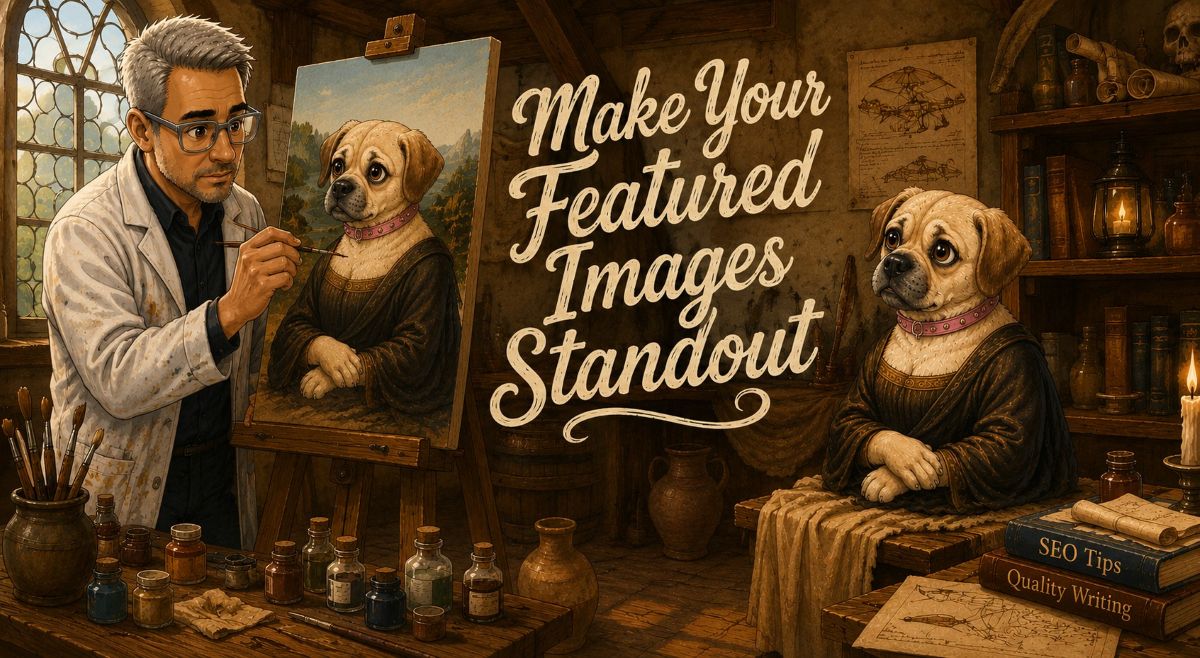
Illustrated scene of Dan painting Sami like the Mona Lisa in a Renaissance-style studio with text about featured images and featured images.
The description can provide a little more detail about the image. This does not need to be long, but it can explain what the image is showing and how it connects to the post.
Example:
A custom blog image showing how a featured image can help a blog post feel more complete, recognizable, and connected to the topic.
or, more specific for this post
Creative illustrated featured image about featured images and featured images showing Dan in a Leonardo da Vinci-inspired art studio painting Sami as a Mona Lisa-style portrait. The scene includes vintage artwork, candles, paint jars, and books titled “SEO Tips” and “Quality Writing,” alongside the message “Make Your Featured Images Standout.” The artwork represents the importance of eye-catching featured images for stronger branding and better reader engagement.
The caption is optional.
I do not think every featured image needs a caption. Sometimes a caption adds clutter, especially if the image is already doing its job visually. But a caption can help when the image needs explanation, adds context, or supports the point of the section.
For example:
A strong featured image can help a blog post make a better first impression.
or, more specific for this post
Dan works on the perfect featured image while Sami channels her inner Mona Lisa in this playful Renaissance-inspired blogging scene.
When you are starting a blog after 50, these details may feel small. But small publishing habits add up. Clean file names, useful alt text, and consistent image choices can make your blog feel more professional over time.
PNG vs. JPG: Which File Type Should You Use for Featured Images?
PNG and JPG files both have a place, but they are not always the best choice for the same job.
A JPG is usually better for photos or detailed images with lots of colors. JPG files can often be compressed to a smaller size, which helps with page speed.
A PNG is usually better for graphics, screenshots, logos, images with text, or images that need transparency. PNG files can look very sharp, but they are often larger than JPG files.
For blog featured images, the choice depends on what kind of image you are using.
If the featured image is a photo, I would usually use JPG.
If the featured image is a graphic with text, a logo, or a clean illustrated design, PNG may look better, but you need to watch the file size.
For my newer illustrated images, PNG can be tempting because the graphics stay crisp. But if the file is too large, it can slow the page down. That is where compression becomes important.
A simple rule:
Use JPG for photos.
Use PNG for graphics, screenshots, or images that need sharp text or transparency.
Compress both before publishing.
The best file type is the one that gives you a clean-looking image without creating a heavy page.
Why Featured Image Compression Matters
Image compression matters because large image files can slow down your site.
That is especially important for featured images because they often load near the top of the page. Or from the old newspaper days, it appears above the fold. This term is still used in blogs today. If the image is too large, the post may feel slow before the reader even starts reading.
This is where image compression plugins can help.
A plugin like Imagify, ShortPixel, Smush, or EWWW Image Optimizer can reduce image file sizes so your pages load faster. Some plugins can also convert images to newer formats like WebP, depending on your settings and hosting setup.
I use image compression because I do not want every featured image to become a performance problem. A good-looking image is nice. A good-looking image that does not slow down the page is better.
Compression will not magically fix every SEO issue. I learned that while working through a blog post that was crawled but not indexed. But image file size still one of those technical details worth getting right.
Here is the way I think about it:
The image should look good.
The file size should be reasonable.
The page should still load quickly.
That is the balance.
You do not need to obsess over every kilobyte, but you should not upload huge images straight from a design tool or camera and call it done.
My Simple Featured Image Checklist
Before I publish a post, I want the featured image to pass a basic checklist.
Here is what I look for:
Does the image match the topic of the post?
Does it support the title?
Does it fit the tone of the article?
Is the image size consistent with my other featured images?
Is the file type right for the image?
Is the file compressed?
Does the file name make sense?
Does the alt text clearly describe the image?
Did I add a useful description?
Does the image need a caption, or would a caption just add clutter?
Does the image feel like it belongs on danswords.com?
That last question matters more to me now than it did when I started.
A featured image is not only about the individual post. It is also part of the larger site. Over time, those images start to create a visual pattern. Readers may not notice every detail, but they can still feel the difference between a site that looks random and a site that looks intentional.
None of this means a new post will bring traffic overnight. Blogging takes time, and image work is only one part of the process. That is why I try to look at these small improvements inside the honest timeline of how long it takes to get blog traffic.
Better images are not a shortcut.
They are part of building better posts.
Let’s Wrap This Up: Featured Images
Featured images are easy to treat as an afterthought.
I know because I did that.
But featured images matter more than I used to think. They help shape the first impression of a post. They support the title. They give the reader a visual clue about the topic. They can also help make a blog feel more consistent, more recognizable, and more intentional.
The practical details matter too.
Use a good featured image size. Write clear alt text. Give the image a clean title. Add a useful description. Use captions only when they help. Choose the right file type. Compress the image so it does not slow down the page.
None of those steps are complicated by themselves.
But together, they make the post stronger.
A featured image will not do the work of the article. The writing still has to deliver. But a strong blog image can help the post stand out long enough for someone to give the words a chance.
That is also part of my dream being big, even if last Tuesday’s visitor count was small.
Small improvements count.
A better title counts.
A clearer post counts.
A stronger featured image counts.
That is how a blog gets better. One post, one image, and one improvement at a time.
Some Common Questions About Featured Images
What is the best size for a featured image?
A good featured image size for many blog posts is 1200 × 628 pixels. It works well for wide blog layouts, social sharing, and most featured image areas. The exact size can vary by theme, but the main goal is to use an image that is large enough to look sharp without slowing down the page.
Can I use stock photos for a featured image?
Yes, you can use stock photos for a featured image, especially when you are just getting started. The problem is that stock photos can make your blog look like every other blog. If you can create your own images, add your own style, or use consistent branding, your featured images can help your posts feel more recognizable.
Do featured images help a blog post stand out?
Yes. Featured images can help a blog post make a stronger first impression. They give readers a visual reason to stop, click, or keep reading. A good featured image should match the topic of the post, support the headline, and give the page a little personality.

About the Author: Dan Swords
Dan Swords is a writer, blogger, and content creator with more than 35 years of professional technical writing experience and over 13 years creating content for the web. Through danswords.com, he shares practical advice to help aspiring bloggers and creators get their ideas online. His focus is simple: helping people start and grow a blog with clear writing, engaging content, and practical strategies that actually work.